
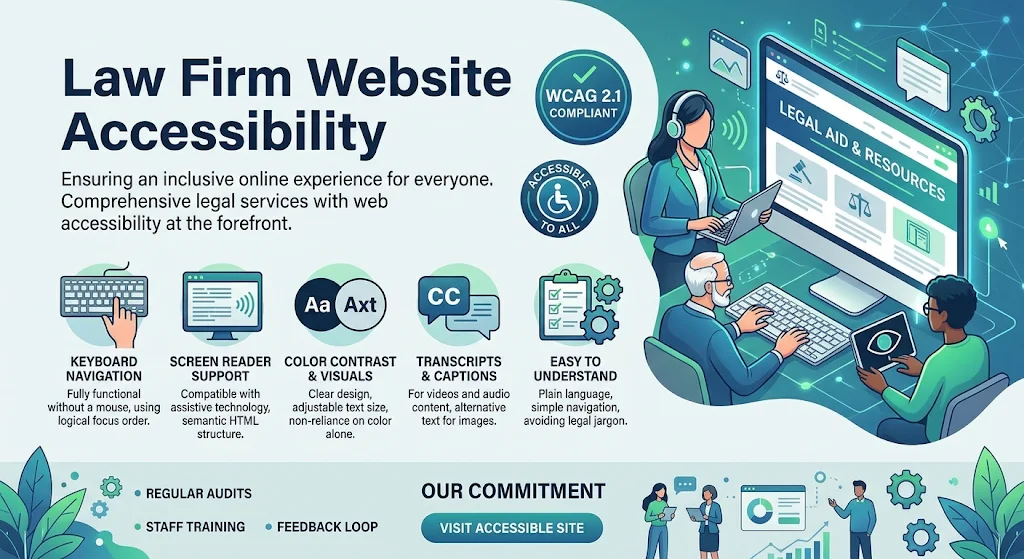
Law firm website accessibility means building your site so that people with disabilities can read it, move through it, fill out your forms, and understand your documents. That includes visitors who are blind or have low vision, who are deaf or hard of hearing, who cannot use a mouse, or who process information differently. It also includes clients who are older, injured, or simply using a phone in bad light.
Accessibility matters for three reasons. It is good client service. It makes your site easier for everyone to use. And claims about inaccessible websites have been filed against many kinds of businesses in the United States, so it is a practical risk. This article is practical guidance, not legal advice, and the law in this area varies, so ask your own counsel about your situation.
Most guides on this topic explain standards and stop there. This one gives you the Seven Test Method, which you can run without technical skills, and it covers a problem that is especially common at law firms: inaccessible documents.
What the Standard Means in Plain English
The benchmark most often used is the Web Content Accessibility Guidelines, usually shortened to WCAG, at Level AA. WCAG 2.2 builds on 2.1, so aiming for the newer version largely covers the older one. The guidelines rest on four ideas.
- Perceivable: people can see or hear the content, for example through text alternatives for images and captions for video.
- Operable: people can use the site with a keyboard, a switch, or voice control, not only a mouse.
- Understandable: pages behave predictably, and forms explain what is expected and what went wrong.
- Robust: the site works with assistive tools such as screen readers.
The Seven Test Method
Set aside about an hour. Mark each test as pass, fix, or ask your vendor.
- The keyboard test. Put the mouse aside. Use the Tab key to move forward, Shift and Tab to move back, and Enter to activate. Can you reach every menu, link, and form field? Can you always see where the focus is? Does anything trap you?
- The contrast test. Use a free contrast checker on your body text, buttons, and fine print. Normal text should reach a ratio of at least 4.5 to 1 against its background. Gold, light gray, and pale blue on white are common failures in law firm brand colors.
- The form test. Every field needs a visible label, not just placeholder text that disappears. Errors should be explained in words, not only by turning a field red. Required fields should be marked clearly.
- The image test. Meaningful images need a short text description. For attorney photos, a name and role is enough. Decorative images should be marked so they are skipped. Never place a phone number or other key text inside an image.
- The video and audio test. Attorney introduction videos need captions, and a transcript is a helpful addition. Nothing should play sound automatically, and the controls should work with a keyboard.
- The document test. Open your intake forms, engagement letters, and guides. Try to select a sentence with your cursor. If you cannot, the file is probably a scanned image that a screen reader cannot read. Documents should have real text, clear headings, and labeled form fields, or you should offer an accessible version on the page.
- The screen reader walkthrough. Turn on the screen reader built into your device, such as VoiceOver on Apple devices, TalkBack on Android, or Narrator on Windows. Spend fifteen minutes trying to find your phone number and submit the contact form without looking at the screen.
Write down every failure. That list becomes the punch list for your web team.
Common Accessibility Problems on Law Firm Websites
Some problems appear again and again on attorney sites.
- Low contrast gold or gray text, including the legal disclaimers that matter most.
- Menus that only open on hover.
- Phone numbers and addresses placed inside images.
- Slideshows that rotate automatically and cannot be paused.
- Pop ups that trap the keyboard or cannot be closed without a mouse.
- Chat widgets with unlabeled buttons.
- Scanned PDFs for intake forms and fee agreements.
- Autoplay video backgrounds.
Notice how many of these also hurt ordinary visitors. Fixing them tends to improve the whole site.
Overlay Widgets Are Not a Shortcut
Some products promise instant compliance with a single line of code and a small icon on your page. Automated tools can help with a few issues, but they cannot repair unclear structure, missing labels, or inaccessible documents, and some have drawn criticism for overstated claims. Use an overlay only as an extra, never as a replacement for fixing the site itself, and be wary of anyone who sells a certificate as a guarantee.
Put Accessibility in Writing
Accessibility holds up when it is assigned, not assumed.
- An accessibility statement. Say which standard you aim for, note any known limits honestly, and give a way to report a problem, with a response time. Avoid claiming full compliance unless you have had the site professionally audited.
- Vendor contract language. Name the standard you expect, require testing before launch, and set a period for fixing issues.
- An internal owner. Choose one person who receives reports and tracks fixes.
- A review habit. Rerun the tests every quarter and after major changes, and check every new PDF before it goes online.
If you are planning a rebuild, ask each vendor to scope accessibility testing in writing. To learn how Elevate Web Designs works with law firms, visit website.
Q&A: Common Questions About Law Firm Website Accessibility
What is law firm website accessibility?
It is the practice of designing and maintaining a law firm site so that people with disabilities can perceive, navigate, and use it, including its forms, videos, and documents.
Does the ADA apply to law firm websites?
The ADA is a federal civil rights law, and courts have not applied it to private business websites in a uniform way. Even so, claims about inaccessible sites have been filed against many kinds of businesses. Treat accessibility as both a client service issue and a practical risk, and ask counsel for advice on your situation.
What does ADA compliant mean for a website?
There is no single seal that proves it. Sites are usually measured against WCAG, most often at Level AA. Be skeptical of anyone who sells a certificate as a guarantee.
Which WCAG level should a law firm aim for?
Level AA is the common target. It balances strong protection for users with a standard that most well built sites can meet.
Do my PDFs need to be accessible too?
Yes, if clients are expected to read or complete them. Provide tagged PDFs with real text and labeled form fields, or an accessible web version of the same information.
Can an accessibility overlay make my site compliant?
Not by itself. Overlays cannot fix many structural problems. Fix the underlying site first, and treat any overlay as an optional extra.
How often should I test my site?
Run the Seven Test Method every quarter and after any redesign, new feature, or large batch of new documents.
Who is responsible for accessibility, the firm or the web designer?
Both, in different ways. The designer can build and test to a standard if the contract requires it. The firm remains responsible for what it publishes and for the documents and videos it adds later.
The Bottom Line
Law firm website accessibility is not a one time project or a badge. It is a habit of testing the keyboard, the colors, the forms, the media, and the documents, then fixing what you find. Run the seven tests, write the results down, and put the standard in your vendor contract. The clients you reach will notice, even if they never say so.